
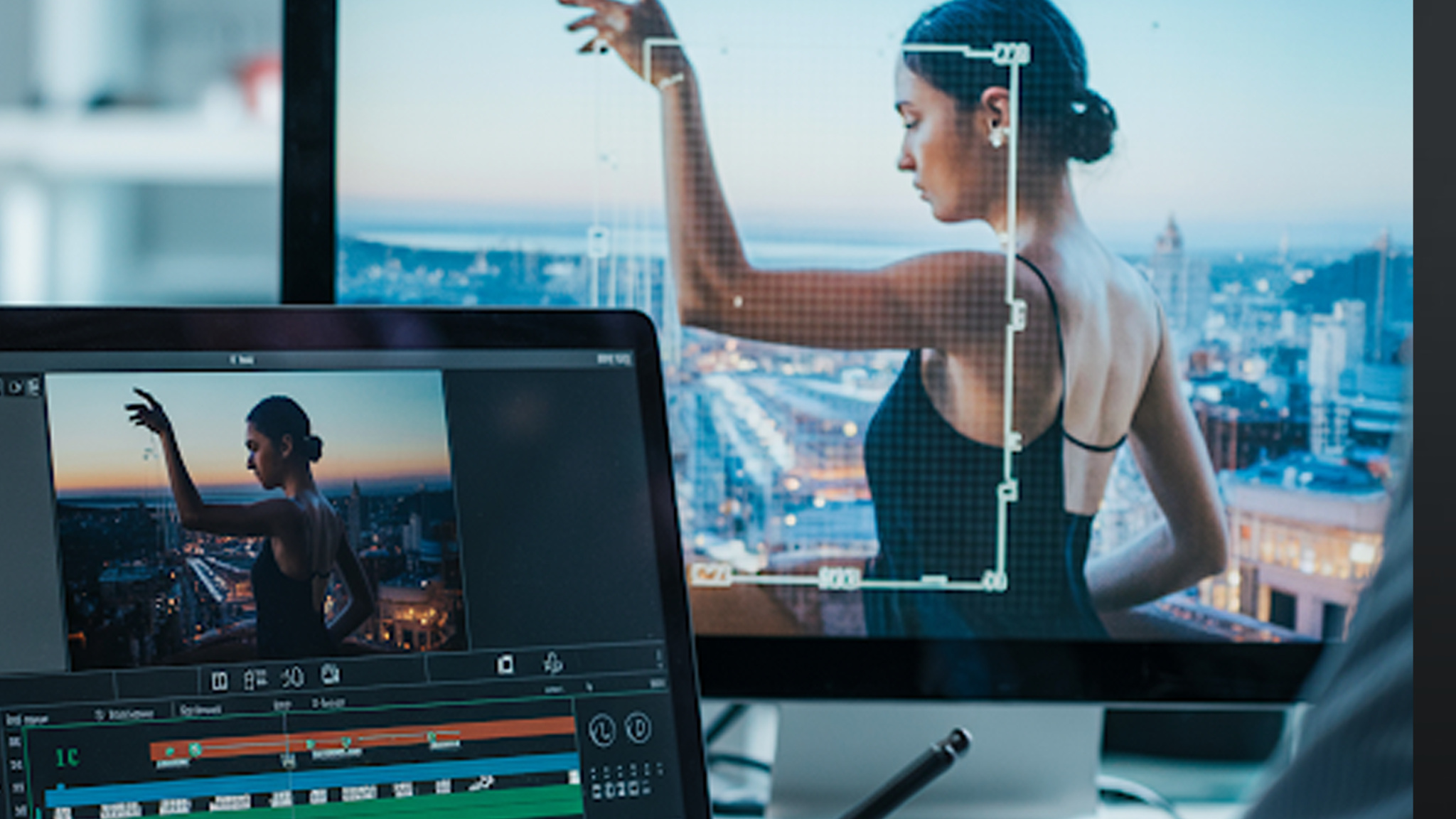
Rotoscoping is a visual effects trick that lets you pick out anything on screen and work with it independently. It was invented in 1915 by Max Fleischer, who traced over live footage to make animation feel real. Even after all these years, the technique still shapes Hollywood and the animation industry.
You can use it to remove backgrounds, isolate characters, or polish a shot frame by frame. Big movies like Avatar and Star Wars rely on it to blend effects and CGI seamlessly. It is not just for films. You can also use it to create ads, animated reels, logos, and more, bringing every visual element to life with precision.
The quality of the final result depends on who is handling the rotoscoping. Whether it is a blockbuster or a high-impact ad, expertise makes all the difference.
At animated-videos.local/, we handle every frame carefully, smooth out the effects, and keep movement consistent. No matter the project, whether it is a commercial or an animation sequence, you get professional results without wasting time or losing your sanity.
What is Rotoscope Animation?
Rotoscoping started out as a completely manual process. Artists had to trace over each frame of footage to create masks or isolate elements.
Today, software handles a lot of the heavy lifting, but the basic idea stays the same. Every frame still needs attention to keep edges clean and movement consistent.
Rotoscope animation sits between 2D animation and motion graphics. It lets elements interact naturally with their surroundings.
A character can move through a digitally enhanced scene without looking out of place. Even in simple post-production, rotoscoping makes edits disappear so the final result feels seamless.
Advantages and Disadvantages of Rotoscoping
Rotoscoping is a tool of precision, but it comes with trade-offs.
| Advantages | Disadvantages |
| Control over elements | Time-intensive |
| Enhanced VFX integration | Steep learning curve |
| Flexibility in post-production | Software dependency |
| Compatibility with animation and VFX tools | Human error |
| Precise masking for complex shots | Requires high attention to detail |
| Allows seamless compositing | Can be repetitive and tedious |
| Supports integration with motion graphics, 2D animation, and 3D modeling | Mistakes can be costly in tight deadlines |
| Improves overall production quality | Can be overwhelming for beginners |
The key is to balance time and quality. Outsourcing rotoscoping to specialized teams, like animated-videos.local/, often saves hours while maintaining expert-level precision.
Types of Rotoscoping in Animation
Rotoscoping is not one-size-fits-all. Understanding the types helps beginners choose the right method:
- Manual Rotoscoping: Artists trace objects frame by frame. High precision, high effort. Essential for complex shots.
- Automated Rotoscoping: AI-assisted software can detect edges and movement. Faster but often requires manual cleanup.
- Hybrid Rotoscoping: Combines manual and automated methods for efficiency and accuracy. This is common in professional post-production pipelines.
Each method serves specific scenarios. For example, a simple background replacement might rely on automated rotoscoping, while a fight scene with intricate movements demands manual attention.
Rotoscope Animation in Film: Notable Examples
Some films have defined the rotoscoping craft:
- A Scanner Darkly (2006): Fully rotoscoped animation blended with live-action. Unique, surreal visuals.
- Waking Life (2001): Richard Linklater’s philosophical journey relied heavily on rotoscoping to create dreamlike layers.
- Star Wars Prequels: Rotoscoping made compositing lightsabers and creatures seamless.
- Avatar (2009): Combined 3D modeling services with rotoscoping to integrate actors into digital environments.
These examples show how rotoscope animation elevates storytelling by blending real-world footage with enhanced visual layers.
It’s a subtle tool but often makes the difference between amateur and professional-looking visuals.
Old vs New Rotoscoping Techniques
Rotoscoping has evolved significantly.
| Aspect | Old Rotoscoping Techniques | New Rotoscoping Techniques |
| Method | Manual frame-by-frame tracing | Software-assisted with AI and edge detection |
| Speed | Very slow, labor-intensive | Faster with automated tools, still allows manual adjustments |
| Accuracy | Depended entirely on artist skill | High accuracy with AI support, manual refinement possible |
| Flexibility | Limited, mainly simple masking | High, works with 2D animation, motion graphics, and 3D modeling |
| Use Cases | Basic visual effects, early animation | Complex VFX, commercials, modern films, animated reels |
| Error Risk | High; misalignment common | Lower with software, but still requires expert oversight |
| Creative Freedom | Restricted by manual effort | Much higher; integrates with post-production workflows |
Modern rotoscoping preserves the precision of old methods while dramatically improving speed and flexibility. For beginners, learning modern techniques is essential to stay competitive.
animated-videos.local/: Rotoscoping and Post-Production Services
For studios and brands seeking quality, animated-videos.local/ offers comprehensive rotoscoping services. We specialize in:
- Background removal and replacement
- Character isolation for 2D animation and motion graphics
- Integration with tweening animation and walk cycle animation
- Cleanup for compositing and visual effects
Our team combines expert knowledge with practical tools, ensuring each frame meets professional standards. By outsourcing rotoscope animation, studios save time while achieving flawless results.
We focus on efficiency without compromising quality. Beginners and professionals alike benefit from our guidance. Our workflow supports multiple animation types, from motion graphics to creative 3D modeling services, ensuring that every project is visually coherent and polished.
Common Challenges Beginners Face
Rotoscoping is deceptively complex. Common hurdles include:
- Frame misalignment: Even a small offset can cause jittery results.
- Hair and fine edges: Elements like hair or smoke are difficult to mask cleanly.
- Fast movement: High-speed action complicates consistent masking.
- Lighting changes: Shadows and reflections can confuse automated rotoscoping.
Learning through practice and using professional post-production guidance makes a difference. Tools and techniques evolve rapidly, and beginners who focus on precision gain an advantage early in their careers.
Practical Tips for Beginners
- Start with short clips to understand movement.
- Use software with layer-based control.
- Combine automated and manual techniques.
- Study examples from notable rotoscope movies.
- Integrate rotoscoping into broader post-production workflows, including tweening animation, walk cycle animation, and motion graphics.
Precision comes from practice and attention to detail. It is not merely technical; it shapes the visual narrative of every project.
FAQs
[sp_easyaccordion id=”7526″]
Conclusion
Rotoscope animation is both a craft and a technical skill. It transforms raw footage into polished, visually compelling narratives. Beginners who master its nuances gain a competitive edge in animation, VFX, and post-production industries.
At animated-videos.local/, we make rotoscoping accessible, precise, and effective. From simple background removals to complex VFX integrations, our team handles every frame with expertise.
Whether you are experimenting with 2D animation, motion graphics, or creative 3D modeling services, our post-production services bridge the gap between vision and execution.
Rotoscoping is not optional in professional animation and VFX. It is essential. Learning it, or outsourcing it to experts, ensures your projects are polished, professional, and visually compelling.