Animation is a powerful storytelling tool that brings characters, objects, and concepts to life through movement.
Among the most popular approaches are tweening and frame-by-frame animation. Grasping the basics of smooth motion with tweening helps animators select the best method based on style, project scope, and deadlines.
This guide will explore how frame-by-frame animation differs from tweening, outline their strengths, and explain where each method works best. By the end, you’ll understand which technique aligns perfectly with your animation needs.
What is Tweening in Animation?
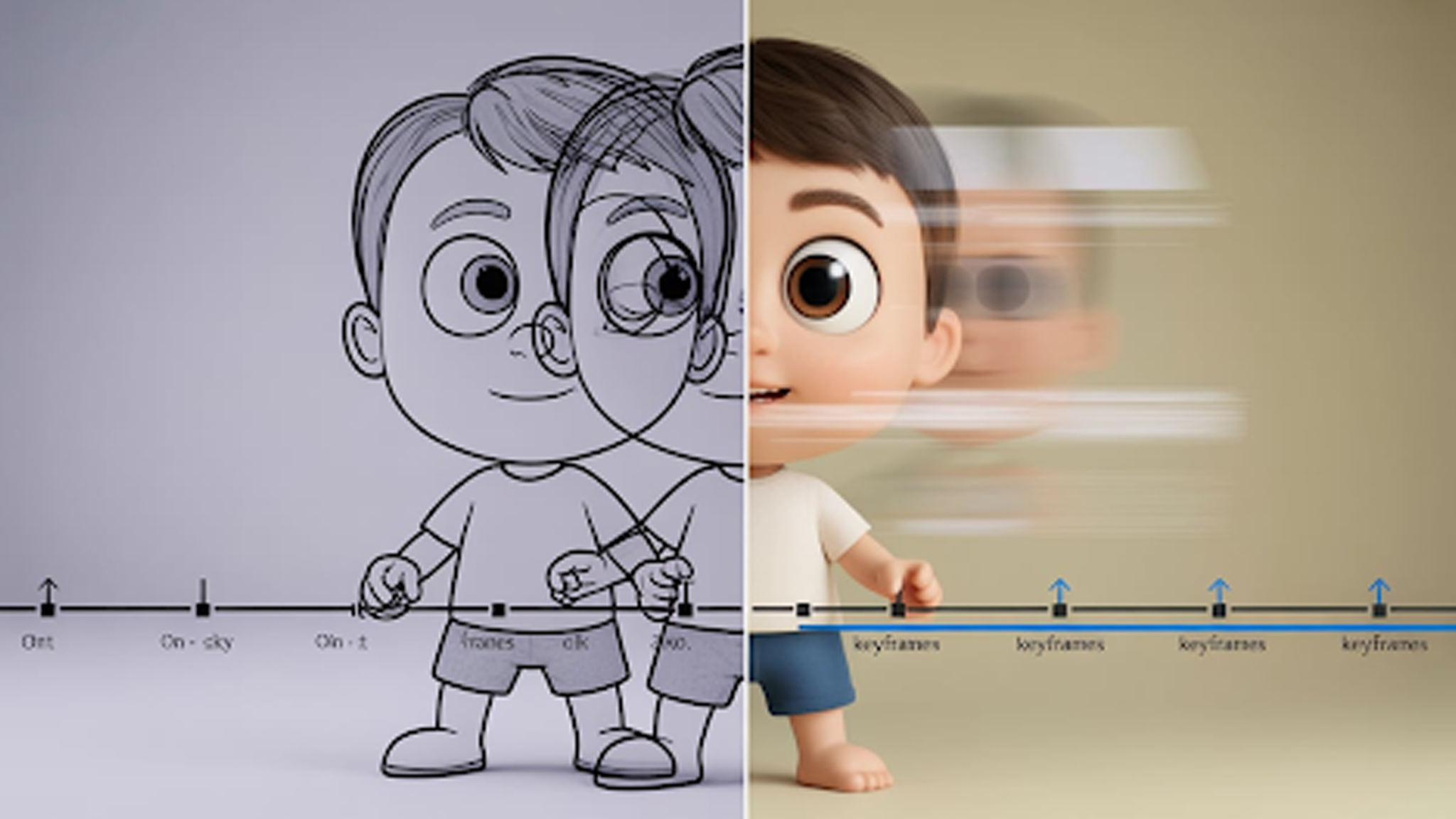
Tweening, or in-betweening, is the process of generating the frames that bridge two keyframes, creating smooth and fluid motion.
Originally done by hand in traditional animation, it can now be handled digitally, saving animators from drawing every frame manually. This makes producing consistent, polished animation much faster and less labor-intensive.
With animated-videos.local/, you can harness professional tweening techniques to produce seamless animations effortlessly. Our service manages the technical details, so your characters and visuals move naturally while you focus on storytelling and creativity.
Different Types of Tweening and How They Work
Tweening can be applied in several ways depending on your animation needs. Each type offers unique advantages for creating smooth, dynamic motion.
1. Motion Tweening
Motion tweening moves an object from one position to another across the screen. The software calculates the in-between frames automatically. It’s ideal for moving characters, vehicles, or any element along a path.
2. Shape Tweening
Shape tweening changes one shape into another over time. For example, a circle can gradually transform into a square. It’s commonly used for morphing effects or dynamic visual transitions.
3. Classic Tweening
Classic tweening applies traditional keyframe animation digitally. It allows animators to manually control motion paths while automating the in-between frames. Perfect for objects that need custom movement or precise timing.
4. Color Tweening
Color tweening changes the color or opacity of an object between two keyframes. It’s great for smooth fading effects, highlights, or animated color transitions in objects or text.
5. Scale and Rotation Tweening
This tweening type adjusts the size or rotation of an object gradually over frames. It’s used for spinning logos, growing elements, or zoom-in/zoom-out effects.
How Tweening Is Used in Animation
Tweening makes animations smoother and faster to produce. It saves time while adding fluid motion to characters and objects.
- Character Movement: Walks, runs, jumps, and other actions are smoother.
- Object Animation: Moving vehicles, flying objects, or floating elements.
- Shape Transitions: Morphing one shape into another for creative effects.
- Color and Opacity Changes: Smooth fades, highlights, and color transitions.
- Scale and Rotation: Spinning logos, zoom-ins, and enlarging elements.
- UI Animations: Buttons, menus, and interactive elements in apps or videos.
- Special Effects: Explosions, magic effects, and abstract animations.
Tweening is versatile. It helps animators create professional-looking videos quickly and efficiently.
What is Frame-by-Frame Animation?
Frame-by-frame animation, also called traditional animation, requires creating each frame individually.
This hands-on method gives extremely smooth and precise motion. Compared to automated tweening, it is more time-consuming and labor-intensive but allows full control over every detail.
Top Features of Frame-by-Frame Animation
Frame-by-frame animation gives animators full control over every detail. Each frame is drawn individually, making movement extremely precise and expressive.
- Full Creative Control: Every action, expression, and movement can be customized.
- High Detail: Perfect for complex characters, textures, and intricate motions.
- Smooth Motion: Produces fluid animation when done correctly.
- Flexibility: Allows for unique artistic styles that automated methods can’t match.
- Timeless Appeal: Traditional style that works well in cartoons, explainer videos, and classic animations.
This method requires more time and effort than tweening but delivers unmatched precision and artistry.
How Frame-by-Frame Animation Is Used
Frame-by-frame animation gives animators complete control over motion and detail. This precision makes it ideal for projects where every movement matters.
- Character Animation: Complex actions, expressions, and emotions come alive.
- Cartoons & TV Shows: Traditional-style animation for storytelling.
- Explainer Videos: Detailed, expressive movements to clarify ideas.
- Special Effects: Explosions, magic, and dynamic visual effects.
- Games & Cutscenes: Smooth, hand-crafted animation for high-quality visuals.
- Advertising & Branding: Unique animations to make content memorable.
Frame-by-frame animation is time-intensive but delivers unmatched detail and artistry.
Tweening vs Frame-by-Frame Animation: Main Differences
Tweening and frame-by-frame animation achieve motion in very different ways. Understanding these differences helps you pick the best method for your project.
| Feature | Tweening | Frame-by-Frame Animation |
| Process | Software generates in-between frames between keyframes. | Each frame is drawn individually by the animator. |
| Time & Effort | Faster and less labor-intensive. | Slower and more detailed, requires more effort. |
| Control | Limited control over individual frames. | Full control over every frame and motion. |
| Smoothness | Produces smooth motion automatically. | Extremely precise and expressive motion. |
| Best For | Simple movements, large projects, and faster production. | Complex characters, intricate motions, and traditional animation styles. |
| Skill Needed | Basic knowledge of software and keyframes. | Strong drawing and animation skills. |
| Flexibility | Easy to adjust timing and movement. | Adjustments require redrawing frames. |
Both methods have their strengths. Your choice depends on project scope, style, and production timeline.
How to Decide Between Tweening and Frame-by-Frame
Choose the right method based on your project needs, timeline, and style. Each technique has scenarios where it shines.
Use Tweening When:
- You need smooth motion quickly.
- The project has repetitive or simple movements.
- You want to save time on large-scale animations.
- Minor adjustments may be needed after initial creation.
Use Frame-by-Frame Animation When:
- You need full control over every frame.
- The animation involves complex characters or detailed motions.
- You want a traditional, hand-crafted animation feel.
- Expressive actions or artistic style are critical.
If you find it difficult to decide, consult with animated-videos.local/. We are trusted animators offering a wide range of services, including logo animation, explainer videos, 2D and 3D animation, and more.
Our team understands your project and recommends the best approach for your needs.
FAQs
[sp_easyaccordion id=”7491″]
Final Thoughts
Animation comes in many forms, but choosing the right method makes all the difference. Tweening saves time and creates smooth motion for simpler or large-scale projects.
Frame-by-frame animation gives full control and precision for complex characters and intricate movements.
Deciding between the two can be tricky. If guidance is needed, animated-videos.local/ offers expert advice and handles both techniques. From 2D and 3D animations to explainer videos and logo motion, their team ensures every project gets the method that fits best.